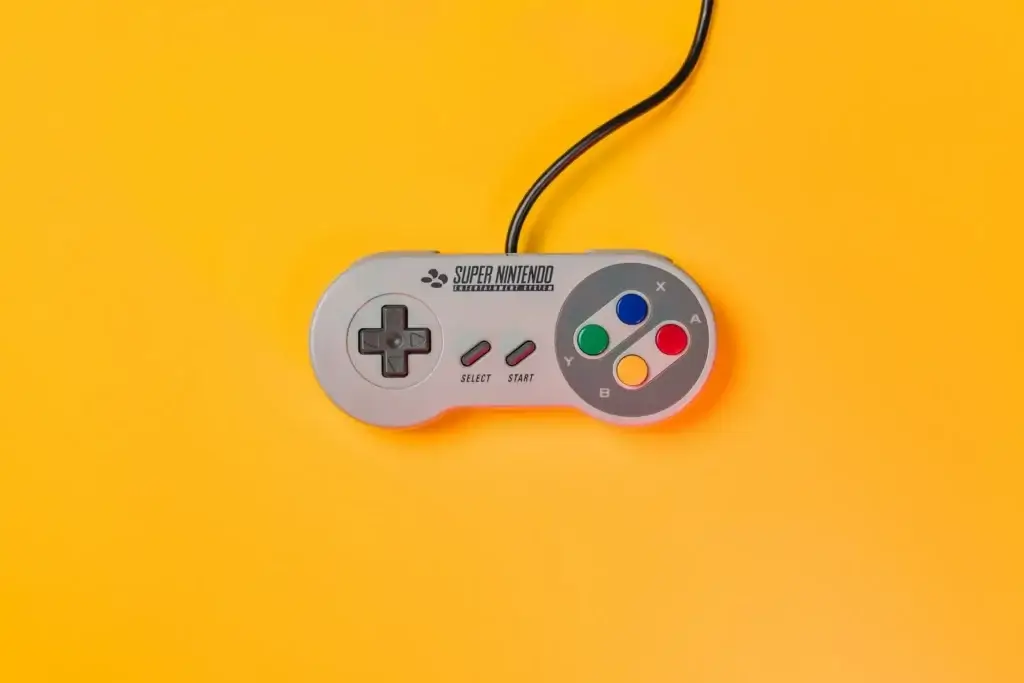
Nothing frustrates a gamer more than pressing a button and feeling vague mush instead of a clean click. Over time, controllers that started with crisp feedback degrade into spongy, unresponsive inputs that ruin timing in fighting games, shooters, and platformers. The root cause is almost always the switch mechanism under the button cap, and the most effective fix involves replacing degraded conductive rubber pads with engineered metal dome switches.
A metal dome switch fixes mushy buttons by replacing a compressible rubber pad with a precision-stamped stainless steel disc that snaps between open and closed states with a defined mechanical threshold. Unlike rubber, which softens and deforms over repeated use, a metal dome maintains its spring temper through millions of actuations, delivering the same tactile response on press one million as it did on press one.
The sections below explain the degradation mechanics behind mushy buttons, compare metal dome switches to rubber alternatives across every performance dimension, and outline the specifications that matter most when sourcing replacement switch components.
What Makes a Controller Button Feel Mushy?
A mushy button loses the sharp transition between unpressed and pressed states. Instead of a distinct click followed by a clean rebound, the user feels a soft, progressive collapse with an imprecise actuation point. In severe cases, the button requires more force than expected, fails to rebound fully after release, or registers inputs inconsistently.
Three engineering factors drive this degradation. First, the elastomer material in conductive rubber pads loses crosslink density through repeated compression cycles. The silicone matrix softens, reducing the force needed to deform the pad and eliminating the tactile snap. Second, the carbon contact pill on the underside of the rubber pad wears down, increasing contact resistance and causing intermittent signal loss. Third, accumulated debris, skin oils, and humidity ingress contaminate the contact zone, further degrading electrical performance.
Controllers that see heavy use in competitive gaming environments exhibit these symptoms within months. Budget controllers built entirely around rubber dome arrays fare the worst, as cost-cutting leaves no tolerance margin in the material specification.
How a Metal Dome Switch Provides Crisp Tactile Feedback
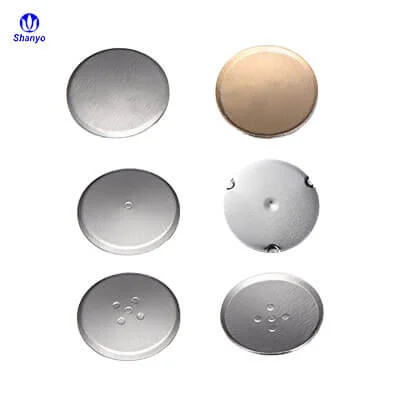
A tactile metal dome switch operates on a fundamentally different principle. The dome is a thin stainless steel disc, typically 0.06mm to 0.10mm thick, stamped into a shallow spherical or oblong profile. At rest, the dome bridges two PCB contact pads without touching them. When the user presses the button cap, force transfers through the cap to the dome center. Once the applied force exceeds the dome’s rated buckling threshold, the dome snaps downward instantly, completing the circuit with a audible and tactile click.
The key difference from rubber is the negative-rate spring characteristic built into the dome geometry. As the dome approaches its buckling point, the required force actually decreases, creating an unstable equilibrium that accelerates the snap-through action. This guarantees that actuation occurs at a precise, repeatable force level regardless of how slowly or quickly the player presses the button. Rubber pads, by contrast, exhibit a monotonic force-displacement curve with no distinct snap point. The actuation feel drifts as the material ages.
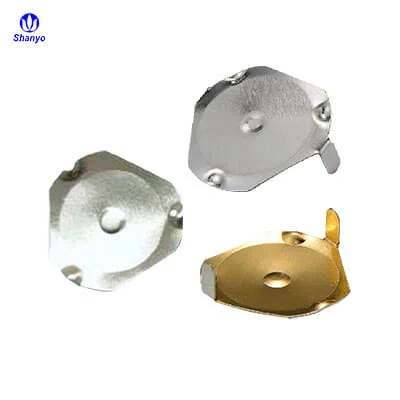
When the player releases pressure, the dome’s stored elastic energy rebounds it to its original shape in milliseconds. The action is mechanical, not pneumatic. No air needs to refill a cavity. No silicone needs to recover from compression set. The metal simply returns to its formed geometry.
Rubber vs Metal: A Direct Performance Comparison
The table below quantifies the differences between conductive rubber pads and metal dome switches across the parameters that define button feel and reliability.
| Performance Parameter | Conductive Rubber Pad | Metal Dome Switch |
|---|---|---|
| Tactile snap | Soft, progressive collapse; no distinct click | Sharp, audible snap at defined force threshold |
| Actuation consistency | Degrades 20–40% over 100k cycles | Remains within 5% of spec through rated life |
| Contact resistance | 10–100 ohms, increases with wear | Under 1 ohm with silver plating, stable over life |
| Life cycle rating | 100k–500k cycles typical | 1M–5M cycles typical |
| Rebound speed | Slows as silicone loses elasticity | Millisecond return, unchanged over life |
| Environmental sensitivity | Absorbs moisture, swells with humidity | Inert stainless steel, unaffected by humidity |
| Unit cost | Lower per unit | Higher per unit, offset by longer service life |
Specifications That Determine Button Feel
A metal dome switch is not a one-size-fits-all component. Three specifications directly control how the button feels to the player.
Actuation Force
Actuation force, measured in grams, determines how hard a player must press to trigger the button. For face buttons on game controllers, the sweet spot is 150g to 250g. Lower forces (150g to 180g) suit rhythm games and action titles where rapid repeated presses dominate. Higher forces (200g to 250g) provide the deliberate feedback favored in fighting games, where each press confirms a committed input. D-pad applications span a narrower 180g to 220g range to balance directional precision with thumb comfort during extended play.
Travel Distance
Travel distance, the gap the dome must collapse before electrical contact occurs, ranges from 0.15mm to 0.35mm in gaming applications. Shorter travel produces hair-trigger response prized in competitive shooters. Longer travel creates a deeper, more obvious snap that casual players often find more satisfying. The choice interacts with dome shape: a round dome switch in a standard 6mm diameter with 0.20mm travel and 200g force represents a balanced starting point for face button retrofits.
Life Cycle Rating
Gaming controllers face abuse that far exceeds office keyboards or TV remotes. A single evening of competitive play can accumulate thousands of presses per button. A dome rated for 1 million cycles may sound generous on paper, but for daily drivers, premium domes rated at 3 million to 5 million cycles provide meaningful headroom. The material grade matters: SUS301 stainless steel hardened to 3/4H or full hard temper provides the optimal balance of spring properties, fatigue resistance, and corrosion protection.
Installation Factors That Keep Buttons Crisp Long-Term
Even the best metal dome switch underperforms if installed incorrectly. Three installation practices separate a factory-grade tactile experience from a mediocre retrofit.
First, the adhesive layer that secures the dome to the PCB must be vented. Without vent channels, the dome traps air during collapse, creating a pneumatic cushion that softens the snap and introduces inconsistent feel across button positions. The industry standard uses laser-cut PET adhesive sheets with dedicated vent paths for each dome cavity.
Second, the dome must sit centered on its contact footprint. Off-center placement shifts the effective actuation force and can cause the dome edge to catch on the adhesive layer instead of snapping cleanly. Four-leg dome designs mitigate this risk through self-aligning geometry, making them the preferred choice for dense D-pad layouts.
Third, contact cleanliness matters. Even microscopic contamination trapped between the dome and PCB pad during assembly can create intermittent high-resistance faults that mimic mushy button behavior. Clean-room assembly conditions and gold-plated contact surfaces provide the strongest defense against this failure mode.
Selecting the Right Upgrade Path
For controller modders and repair technicians, the upgrade path from mushy rubber to metal dome switches follows a straightforward sequence. Identify the failing button positions. Measure the existing rubber pad footprint to determine compatible dome diameter and shape. Select a dome with actuation force matching the player’s preference, erring toward 180g to 200g for general-purpose face buttons. Source an adhesive sheet matched to the dome array layout, and verify that the PCB contact pads are clean and free of oxidation before applying the new assembly. The result is a controller that feels new, with tactile consistency that outlasts the original design by a margin of years rather than months.
FAQ
Can I retrofit metal dome switches into any controller model?
Retrofit feasibility depends on the controller’s PCB contact pad layout, available clearance between the button cap and board, and whether the existing button membrane can be replaced with a dome-and-adhesive assembly. Controllers designed around replaceable membranes are easier to modify. Models with integrated rubber-and-plastic button assemblies may require more invasive rework. Check the PCB footprint before ordering domes.
How can I test whether my mushy buttons are caused by rubber degradation or PCB damage?
Remove the rubber membrane and use a multimeter in continuity mode to test each PCB contact pair by shorting them with a clean metal tool. If the PCB registers every contact cleanly, the problem is the rubber pad. If contacts are intermittent even with direct metal bridging, the PCB traces or vias may be damaged, requiring board-level repair before any dome upgrade.
Do metal dome switches change the sound of a controller?
Yes. A metal dome produces a sharper, higher-frequency click compared to the dull thud of a rubber pad. Some players prefer the audible confirmation, while others find it distracting in quiet environments. The acoustic profile can be tuned by adjusting the dome’s material thickness and the enclosure damping around the button chamber.