
There is something oddly satisfying about a good button click. You know the feeling—it is crisp, responsive, and lets you know immediately that the device did what you wanted it to do. That magic moment is usually powered by a tiny piece of metal called a snap dome switch. It seems like such a small, insignificant part of the overall product design, just a little curved disc of metal hiding under a membrane or a plastic cap. But if you get it wrong, the whole product feels cheap, or worse, it stops working way sooner than it should.
Designing an interface is tricky because you are dealing with human fingers, and human fingers are surprisingly picky sensors. Selecting the right snap dome switch isn’t just about voltage and current; it is about “feel” and reliability. When you dive into the specs, it can get a bit overwhelming with all the different shapes, sizes, and coatings.
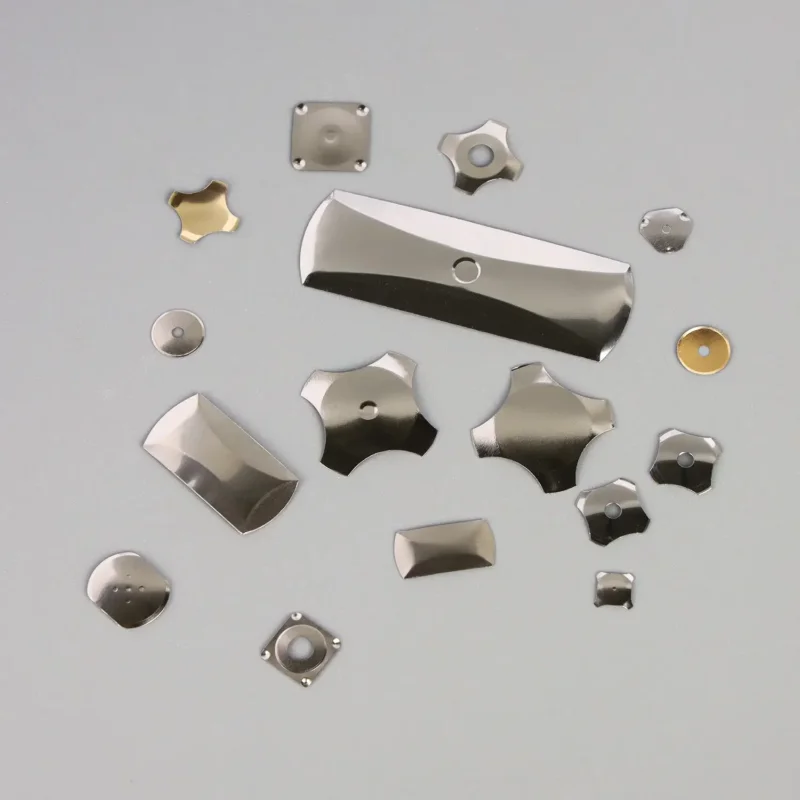
Deciding on the Shape of the Snap Dome Switch
The first thing you usually run into is the shape. It would be nice if there was just one universal shape, but engineering is never that simple. The shape you pick dictates how the switch fits on your PCB and, more importantly, how it feels when pressed.
You typically have three or four main contenders. The most common one you see is the four-leg (or cross) dome. It’s the workhorse of the industry. It generally has a really nice “sweet spot” in the center, meaning if the user presses slightly off-center, it still clicks nicely. Then you have the round domes. These are great when space is tight, but sometimes they can feel a bit stiffer or require a more precise hit in the center to actuate properly.
Here is a quick look at how the common shapes stack up against each other:
| Dome Shape | Key Characteristic | Typical Application |
|---|---|---|
| Four-Leg snap dome switch (Cross) | High lifecycle, forgiving actuation area | Keypads, remotes, consumer electronics |
| Round snap dome switch (Circle) | Small footprint, tighter seal | limited PCB space, medical devices |
| Triangle snap dome switch | High actuation force capabilities | Heavy equipment, robust controls |
| Oblong snap dome switch | Fits rectangular pads | Narrow spaces on crowded boards |
Balancing Actuation Force and Tactile Ratio
This is where things get subjective. How hard should a button be to press? If you select a snap dome switch with a force that is too high (say, over 400 grams for a finger press), the user is going to get fatigued. It feels like a workout just to change the channel. On the other hand, if the force is too low, the button feels “mushy.” There is no crisp snap.
The “snap” sensation is actually measured as a ratio. It is the difference between the force required to collapse the dome and the force the dome pushes back with. A higher ratio feels snappier. A lower ratio feels softer.
It is worth noting that the apparent force changes once you put a rubber overlay or a plastic keycap on top. You might pick a 200g snap dome switch, but after adding a silicone keypad, it might require 300g of finger pressure to actually trigger it. You kind of have to account for the layers sitting on top of the metal.
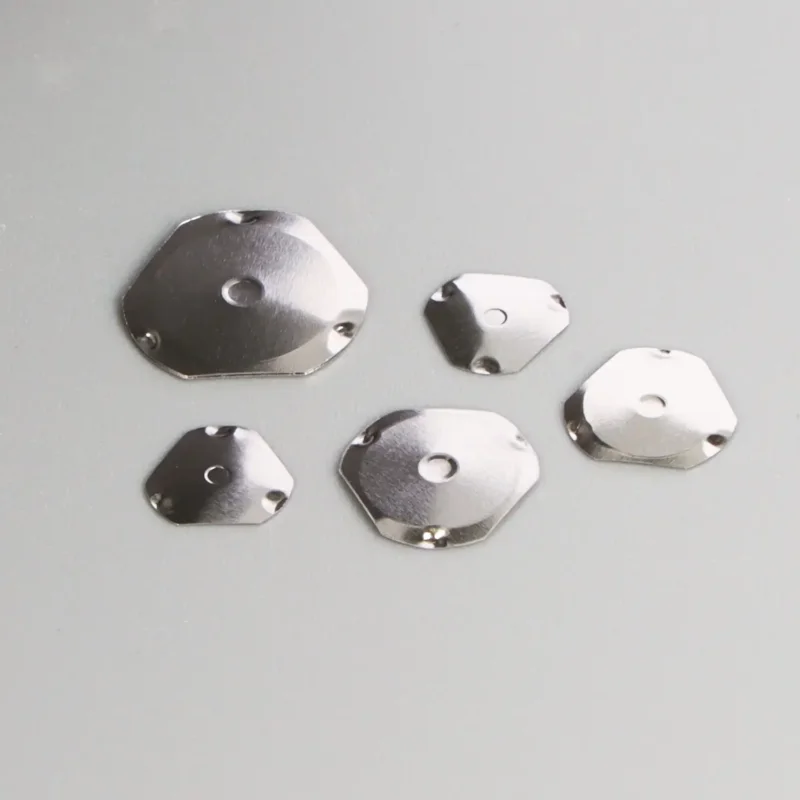
Material and Plating Options for Your Snap Dome Switch
Most of these domes are made from stainless steel. It is springy, durable, and conducts electricity well enough for most jobs. But “good enough” isn’t always right for every application.
If you are designing something that needs extremely low contact resistance, you might look at a gold-plated snap dome switch. Stainless steel has a natural resistance that is fine for digital signals, but if clarity is absolute king, gold or silver plating helps. However, it does add cost. It is one of those trade-offs where you have to ask if the premium is worth it for the application.
- Stainless Steel: The standard. Good for 90% of jobs.
- Nickel Plated: Better corrosion resistance.
- Gold Plated: Best for low voltage/current reliability.
Another thing to watch is the interaction between the dome and the PCB pad. If you use a tin pad with a stainless steel dome, you might eventually get fretting corrosion depending on the environment. Matching materials can save you a headache down the road.
The Importance of Venting
This is a detail that gets forgotten a lot, and it causes weird problems. When you press down on a snap dome switch, the air underneath that little metal bubble needs to go somewhere. If the dome is sealed down tight with an overlay and there is no air vent on the PCB, the air gets trapped. It creates a pneumatic resistance—like trying to squish a balloon.
This makes the button feel hard to press, and when you let go, the suction can keep the button held down (stuck on). You need to design a small channel or a “via” hole on the circuit board under the dome to let that air escape. It’s a tiny detail, but ignoring it ruins the feel of the snap dome switch completely. If you want to know more about snap dome switch, please read What is a Snap Dome Switch and How Does it Work.
FAQ
How long does a snap dome switch last?
It depends heavily on the shape and the force. Generally, a standard four-leg snap dome switch can last anywhere from 1 million to over 5 million cycles. Round domes might have a slightly lower life expectancy, sometimes around 1 million cycles, because of how the stress distributes across the metal. High-force domes also tend to wear out faster than low-force ones.
Do I need to solder the snap dome switch to the board?
Usually, no. While there are some solderable versions with little legs, most snap dome switches are held in place using a pressure-sensitive adhesive array (a sticker sheet) or simply held captive by the membrane overlay above them. Soldering metal domes is rare because the heat can sometimes affect the temper (springiness) of the steel if not done carefully.
Can I use a snap dome switch on a flexible circuit?
Absolutely. In fact, they are used on flexible printed circuits (FPC) all the time, like in membrane switches or inside tight camera assemblies. You just need to make sure the surface underneath the dome is rigid enough to support the press; otherwise, the whole board bends away when you push, and you lose that crisp tactile click.