
It feels like it should be the easiest part of the design process. You have designed the circuit board, you have figured out the enclosure, and now you just need a button. But when you open the catalog to pick a component, you are suddenly staring at hundreds of variations of tiny steel discs——metal dome membrane switches. Choosing the right one is actually a lot trickier than it looks. If you get it wrong, the product feels “cheap” or, worse, it hurts to use.
The reality is that the user experience of a device lives and dies by its interface. That click—the tactile feedback—tells the user that the machine heard them. When you are trying to select metal dome membrane switches for a new project, you aren’t just picking a part number; you are engineering the feeling of the interaction. It is a mix of physics and psychology.
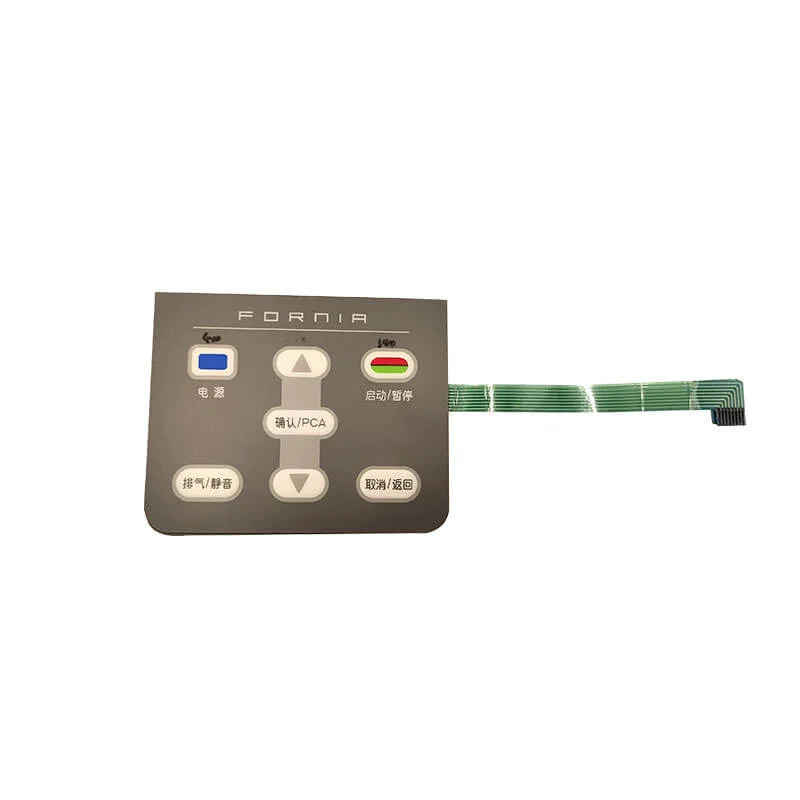
Evaluating Actuation Force in Metal Dome Membrane Switches
The first number everyone looks at is force. It is measured in grams (g) or Newtons. But more force isn’t always better. You have to match the force to the application.
If you are designing a handheld remote for a TV, you want a light touch, maybe around 200g or 250g. You are holding the device in one hand and pressing with a thumb; it shouldn’t be a workout. But if you are specifying metal dome membrane switches for a heavy industrial control panel on a factory floor, a light switch is dangerous. You don’t want a sleeve brushing against it to trigger the machine. There, you might want 400g or even 500g of resistance.
It is also worth noting that “snap ratio” matters just as much as force. This is the difference between the peak force and the force where the switch actually clicks. A low ratio feels mushy. A high ratio feels crisp.
Selecting the Shape of Metal Dome Membrane Switches
You might wonder why there are so many shapes. Circles, triangles, crosses—it seems redundant. But the geometry of the dome changes how it flexes and how long it lasts. Each shape has a personality.
The most common is the four-leg (or cross) dome. It has a great travel distance and feels very “clicky.” It is the standard for a reason. However, if you have a very tight space or need extremely high force, a triangular dome might be better. They are stiffer. Round domes are interesting because they can be sealed around the edge, but they sometimes have a softer feel.
Here is a quick breakdown of how shape influences performance:
| Dome Shape | Tactile Feel | Life Cycle | Best Application |
| Four-Leg (Cross) | High/Crisp | High (>1M) | General purpose, keypads |
| Triangle (3-Leg) | Stiff/Heavy | Moderate | High-force industrial controls |
| Round (Circle) | Softer/Smooth | Very High | Sealed environments, limited space |
| Oblong | Moderate | Moderate | Narrow spaces on PCBs |
Material and Plating Considerations
Steel is steel, right? Not exactly. When you are looking at the longevity of metal dome membrane switches, the finish on the metal is critical.
Standard stainless steel is fine for most office environments. It conducts electricity well enough and resists rust reasonably well. But if your device is going onto an ocean vessel or into a humid greenhouse, raw stainless steel might eventually oxidize. That oxidation increases electrical resistance, and suddenly your button press doesn’t register.
For extreme reliability, you have two main plating upgrades:
- Nickel Plating:Good for general durability and slight corrosion resistance.
- Gold Plating:The premium choice. Gold doesn’t corrode. If the switch is for a medical device or a safety system, spending the extra pennies for gold plating on your metal dome membrane switches is usually the right call. It ensures the signal is clean even after years of sitting in a warehouse.
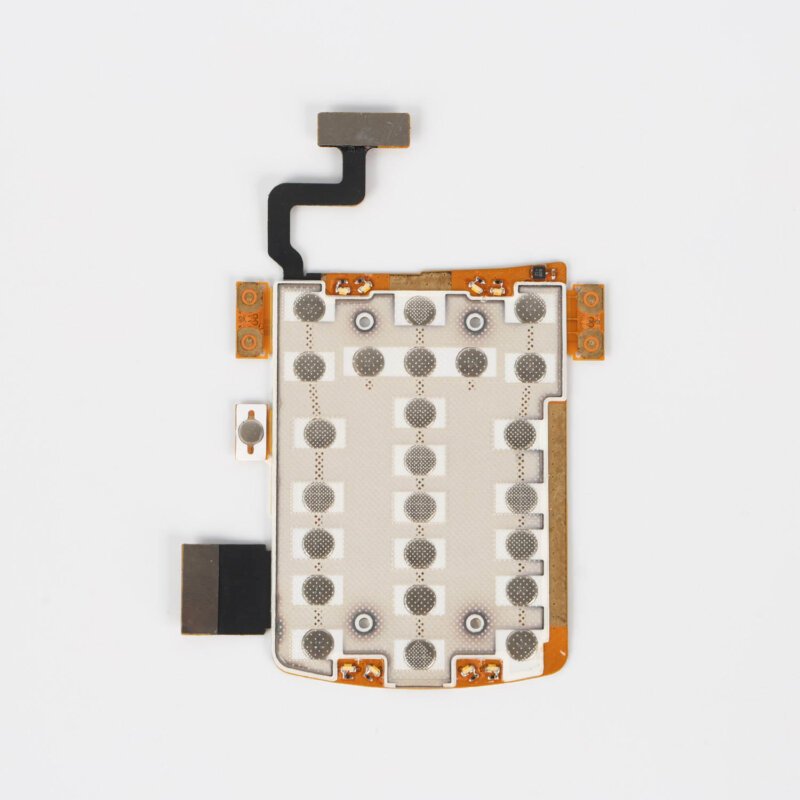
Sizing the Dome to the Overlay
A common mistake designers make is mismatching the size of the dome to the size of the printed key. If the graphic overlay has a button printed that is 15mm wide, but you put a tiny 6mm dome underneath it, the user is going to have a bad time. They might press the edge of the button and miss the dome entirely.
Conversely, if the dome is too big, it feels “wobbly.” You generally want the dome diameter to be slightly smaller than the finger contact area, but large enough to be easily hit.
Another trick is “pre-loading.” This involves designing the overlay or the spacer so that it is slightly pressing on the dome already. It takes up the slack. This makes the metal dome membrane switches feel tight and responsive immediately, rather than having a bit of dead travel before the click. If you want to know more about metal dome membrane switch, please read What Is Metal Dome Membrane Switches.
FAQ
Can I use different dome forces on the same panel?
Yes, and sometimes you should. For example, on a medical device, you might want the “Power” button to be a heavy 500g dome so it isn’t pressed accidentally, while the standard menu arrow keys are a lighter 250g for easier navigation. It adds a level of intuitive safety to the design.
How do I know if the tactile feel is "good"?
Unfortunately, you can’t tell from a datasheet. You have to feel it. Most manufacturers will send a sample kit. You need to press the metal dome membrane switches with the actual overlay material you plan to use, because a thick rubber overlay will dampen the click much more than a thin polyester one.
Does the spacer thickness matter?
Absolutely. The spacer (the adhesive layer with the hole in it) creates the room for the dome to sit. If the spacer is too thin, the dome is constantly being squashed and might make permanent contact. If it’s too thick, the button feels loose. The standard is usually to match the spacer thickness to the dome height, or slightly less for a pre-load effect.