
The Fundamental Choice in Custom Membrane Switch Design
When specifying membrane switch interfaces, one of the earliest decisions involves tactile feedback. Should buttons click when pressed? Or does a smooth, flat response suit the application better?
This choice affects more than just how switches feel. Cost, thickness, durability, and even reliability all change depending on which direction a custom membrane switch design takes. Neither option proves universally superior. Application requirements determine which approach makes sense.
Understanding the tradeoffs helps make informed decisions rather than defaulting to whatever seems familiar or popular.
How Tactile Custom Membrane Switch Feedback Works
Metal Dome Mechanisms
Most tactile membrane switches rely on metal domes to create that distinctive click sensation. These small formed components sit beneath the graphic overlay, positioned over circuit contacts.
The feedback mechanism works simply enough:
- User presses overlay surface
- Force transfers to dome beneath
- Dome resists briefly then snaps through
- Contact occurs, completing circuit
- Release allows dome to return
That snap-through moment creates the click users perceive. The sudden force change provides unmistakable confirmation of successful actuation.
Metal dome specifications vary considerably. Diameter, height, force requirements, and snap ratio all affect how feedback feels. A custom membrane switch designer selects dome parameters matching application preferences.
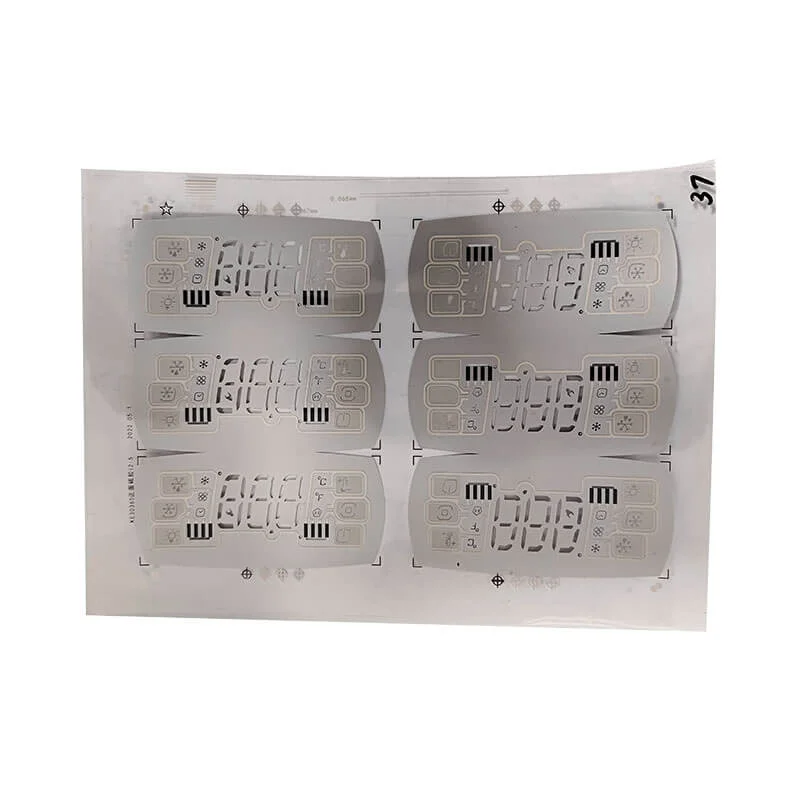
Alternative Tactile Technologies
Metal domes dominate tactile applications, but alternatives exist. Polyester domes provide softer, gentler feedback at lower cost. Some users prefer this subtler response, particularly for devices used extensively.
Embossed overlays add another tactile dimension. Raised button areas help users locate controls by touch without looking. Combined with metal domes underneath, embossing enhances overall tactile experience significantly.
| Tactile Option | Feedback Intensity | Cost Impact | Durability |
|---|---|---|---|
| Metal domes | Strong, crisp | Moderate increase | High cycle life |
| Poly domes | Soft, subtle | Slight increase | Moderate cycle life |
| Embossing only | Visual/touch location | Minimal | No mechanical wear |
| Combination | Enhanced overall | Higher | Varies by components |
Non-Tactile Custom Membrane Switch Characteristics
Flat Panel Construction
Non-tactile switches eliminate dome components entirely. The construction becomes simpler, with circuit layers separated only by spacer material. Pressing brings contacts together without mechanical click or snap sensation.
Benefits of non-tactile designs include:
- Lower overall thickness
- Reduced component cost
- Extended actuation lifecycle
- Completely sealable surfaces
- Quieter operation
Some applications genuinely benefit from these characteristics. Medical equipment requiring aggressive cleaning appreciates fully sealed surfaces. Audio recording environments need silent controls. Cost-sensitive products benefit from simplified construction.
User Experience Considerations
The absence of physical feedback changes user interaction noticeably. Without tactile confirmation, users sometimes wonder whether presses registered successfully. This uncertainty can lead to repeated pressing or hesitation.
Compensation strategies for non-tactile custom membrane switch designs include:
- Visual feedback through LED indicators
- Audible beep confirmation from electronics
- On-screen acknowledgment for display-equipped devices
- Graphic design emphasizing button boundaries
These alternatives work reasonably well when implemented thoughtfully. But they require additional design effort and sometimes added components.
Performance Comparison Between Custom Membrane Switch Types
Durability and Lifecycle
Actuation lifecycle represents important consideration for many applications. How many presses can the switch handle before failure?
Non-tactile switches generally outlast tactile versions significantly. Without mechanical dome components, fewer parts experience fatigue stress. Million-cycle ratings come easier for flat membrane constructions.
Metal dome tactile switches still achieve impressive lifecycles though. Quality domes rated for several million actuations exist. But mechanical components eventually fatigue regardless of initial quality.
The lifecycle question matters most for high-use applications:
- Industrial control panels operated continuously
- Gaming interfaces seeing intensive use
- Point-of-sale terminals processing transactions constantly
Lower-use applications rarely stress either type enough to cause concern.
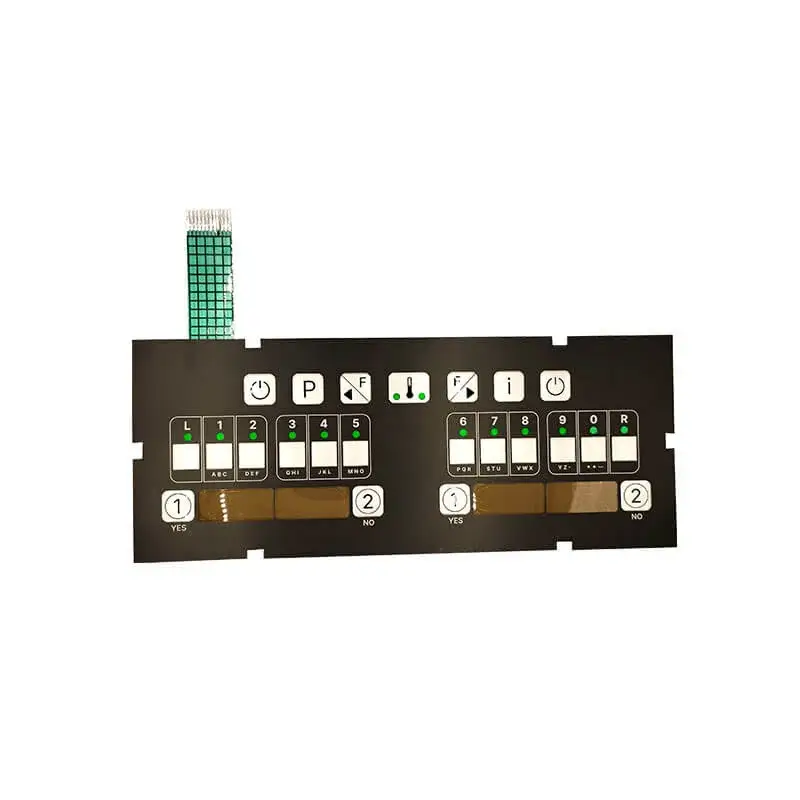
Environmental Resistance
Sealing capability differs between configurations. Non-tactile custom membrane switch assemblies seal completely with continuous perimeter bonding. No internal cavities require venting.
Tactile versions with metal domes contain air spaces that may need venting for pressure equalization. These vents create potential moisture ingress paths despite protective designs.
For applications demanding highest environmental protection:
- Non-tactile designs achieve IP67 or higher more easily
- Tactile designs require more sophisticated sealing approaches
- Both types can meet most environmental requirements with proper design
Cost Implications
Cost differences exist but vary with volumes and specifications. General patterns emerge though.
Non-tactile advantages:
- Fewer components
- Simpler assembly
- Less material cost
Tactile considerations:
- Dome component expense
- Additional assembly steps
- Slightly higher material usage
At modest volumes, tactile versions cost noticeably more. Volume production narrows the gap somewhat as component costs amortize across larger quantities. A custom membrane switch supplier can provide specific quotations for accurate comparison.
Application Suitability for Each Custom Membrane Switch Type
When Tactile Feedback Matters Most
Certain applications benefit substantially from tactile response. The physical confirmation aids user confidence and reduces errors.
Strong tactile candidates include:
- Equipment operated while attention focuses elsewhere
- Interfaces used with gloves reducing sensitivity
- Safety-critical controls requiring positive confirmation
- Products where premium feel supports brand positioning
- Training equipment where feedback aids learning
Operators controlling machinery while watching processes need confirmation without visual verification. Tactile feedback serves this need elegantly. Similar logic applies across various scenarios where attention divides between interface and task.
Where Non-Tactile Designs Excel
Other applications suit non-tactile approaches better. The flat, sealed surfaces and lower profiles offer genuine advantages.
Appropriate non-tactile applications:
- Frequently cleaned medical or food service equipment
- Space-constrained installations
- Cost-sensitive high-volume products
- Sound-sensitive environments
- Ultra-high cycle applications
The custom membrane switch choice should reflect actual use conditions rather than assumptions about user preferences. If you want to know more about custom membrane switch, please read Custom Membrane Switch: Tailoring Every Layer to Your Needs.
FAQ
Can tactile feedback be added to an existing non-tactile design later?
Theoretically possible but practically difficult. Adding metal domes requires redesigning circuit layouts, spacer configurations, and potentially overlay constructions. Starting fresh with tactile requirements in mind produces better results than retrofitting attempts.
Do tactile switches cost significantly more than non-tactile versions?
Cost differences exist but vary considerably. Simple tactile designs with standard domes might add 15-25% to non-tactile equivalents. Complex configurations with premium domes increase costs further. Volume production reduces percentage differences somewhat.
Which type provides better user satisfaction generally?
User preferences vary by application and individual. Studies suggest tactile feedback improves perceived quality and reduces input errors for many applications. However, some users find clicking annoying during extended use. Matching feedback type to application context matters more than general preferences.