Игровые мыши прошли долгий путь развития. Основное внимание уделяется основным кнопкам (левой и правой) — оптическим переключателям, магнитным шарнирам и прочему. А вот боковые кнопки? Их часто упускают из виду. Пока они не выходят из строя. Или не становятся «вялыми». Или регистрируют двойной щелчок, когда нужно было нажать только один раз.
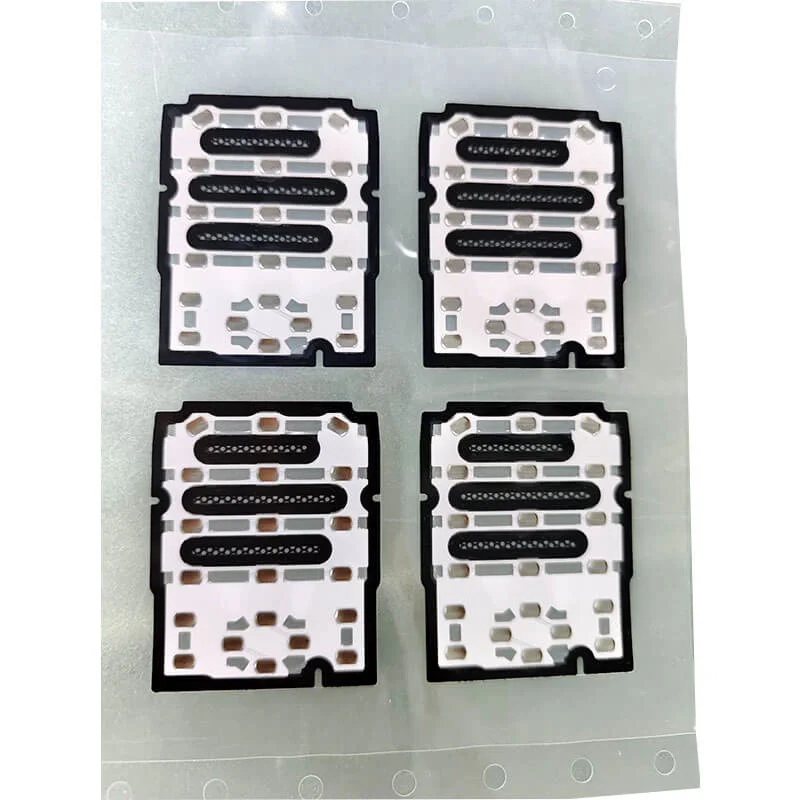
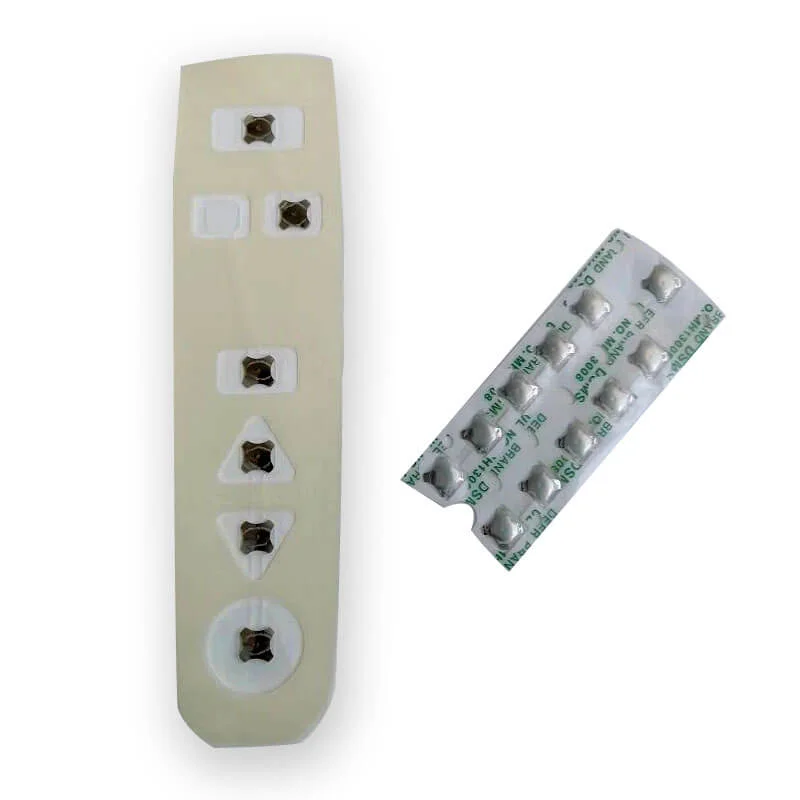
Именно здесь купольный массив вступает в игру. Не для основных кнопок, а именно для боковых. Судя по результатам разборки множества игровых мышей (а также по значительному количеству возвратов по гарантии), матрица купольных переключателей сочетает в себе четкую тактильную обратную связь и надежную программируемость, с чем другим типам переключателей трудно сравниться при столь компактных габаритах.
Физические ограничения боковых кнопок игровой мыши
Прежде чем говорить о преимуществах купольной матрицы, стоит разобраться, как устроены боковые кнопки. Пространство ограничено. В типичной игровой мыши, как правило, имеется от двух до четырёх боковых кнопок, расположенных вертикально. Каждая кнопка находится за узким плунжером, который передаёт усилие на переключающий элемент, расположенный на основной печатной плате.
Допустимые ограничения по высоте и ходу
Расстояние между внешней оболочкой и печатной платой обычно составляет от 3 до 5 мм. Вот и всё. Стандартному механическому переключателю требуется около 7 мм вертикального зазора. Так что этот вариант отпадает. Тактильные металлические купола (основа купольной матрицы) сжимаются при ходе от 0,3 до 0,6 мм. Это легко укладывается в пределы 3 мм. Низкий профиль — первая причина, по которой купольная матрица используется в данном случае.
Варианты расположения боковых кнопок
Не все геймеры держат мышь одинаково. Кто-то использует «когтевой» хват, кто-то — «ладонный», а кто-то — гибридный. Боковые кнопки должны работать независимо от этого. В конструкции с купольной матрицей можно разместить несколько куполов на одной несущей пленке, расположив их именно в тех местах, где их ожидают пользователи с разным размером ладони. При использовании отдельных переключателей для каждой позиции потребовалось бы отдельное крепление — больше деталей, больше этапов сборки, больше затрат.
Тактильные характеристики купольной матрицы в устройствах с боковыми кнопками
Четкость — понятие субъективное. То, что один геймер называет “четким”, другой считает “слишком резким”. Но существуют и измеримые параметры.
Тактильное соотношение и восприятие щелчка
Коэффициент тактильной обратной связи (процент падения силы после нажатия) для типичной матрицы с купольными переключателями составляет от 40% до 60%. Это выше, чем у резиновых клавиатур (от 20% до 35%), но ниже, чем у щелкающих механических переключателей (от 65% до 80%). Каков результат? Четкий щелчок, ощутимый пальцем, но не настолько резкий, чтобы утомлять большой палец во время длительных игровых сессий. Это было отмечено в ходе нескольких тренировок по киберспорту: игроки, использующие мыши с боковыми кнопками на купольной матрице, отмечали меньшую нагрузку на большой палец после четырёх часов работы по сравнению с мышами с жесткими механическими боковыми переключателями.
Неупорядоченный список тактильных характеристик, сравнивающий массив куполов с альтернативными вариантами:
Купольная матрица: умеренная упругость, небольшой ход (типично 0,4 мм), бесшумная работа
Механический переключатель: резкий щелчок, больший ход (0,8–1,5 мм), слышимый щелчок
Резиновая клавиатура: мягкая на ощупь, с регулируемым ходом клавиш, практически бесшумная
Емкостный сенсорный экран: отсутствие хода, отсутствие обратной связи (требуются другие сигналы)
Согласованность между несколькими кнопками
Одна из проблем, характерных для более дешёвых мышей: боковые кнопки нажимаются по-разному. Верхняя кнопка срабатывает нормально. Средняя кнопка работает как будто наполовину неисправна. А нижняя кнопка снова работает нормально. При использовании массива купольных переключателей все купола на одной несущей пленке производятся в одной производственной партии. Толщина материала, высота купола и усилие срабатывания остаются одинаковыми. Не идеально — всегда есть небольшие отклонения — но более стабильно, чем в случае с четырьмя отдельными переключателями, поставляемыми из разных производственных партий.
Программируемость и массив «Dome»
Программируемым боковым кнопкам необходимы две вещи: надёжный электрический контакт и предсказуемая точка срабатывания. Купольная матрица обеспечивает и то, и другое.
Согласованность точек срабатывания
Точка срабатывания металлического купола определяется его геометрическими параметрами (обычно ход составляет от 0,3 до 0,5 мм до полного сжатия купола). Этот показатель не меняется со временем. Программный макрос, назначенный на эту кнопку, срабатывает точно в той же точке как при первом нажатии, так и при десять тысячах нажатий. В механических переключателях по мере износа пружин может возникать “дрейф срабатывания”. Купола в массивах купольных переключателей либо сжимаются полностью, либо не сжимаются вовсе. Частичного состояния срабатывания не существует (или, вернее, оно существует, но электрический сигнал регистрируется только при полном сжатии).
Требования к подавлению дребезга
Каждый переключатель требует подавления дребезга — небольшой задержки, позволяющей игнорировать электрические помехи, возникающие из-за дребезга контактов. Купольные переключатели с массивом куполов обладают более четкой характеристикой опускания, чем механические переключатели. Меньше отскоков. А это означает более короткое время подавления отскоков. А это, в свою очередь, означает меньшую задержку ввода. Разница измеряется в миллисекундах (примерно от 2 до 5 мс), но для соревновательных игр это имеет значение.
Упорядоченный перечень факторов, влияющих на надежность программируемых кнопок:
Стабильность контактного сопротивления (купольная решетка: хорошая, типичный диапазон — 10–50 Ом)
Повторяемость точки срабатывания (массив куполов: очень хорошая, ±0,05 мм)
Механический износ с течением времени (купольная матрица: постепенная потеря тактильной чувствительности, а не внезапный отказ)
Герметизация от воздействия окружающей среды (купольная матрица: открытая, без дополнительного покрытия)
Типы неисправностей, наблюдаемые в боковых кнопках игровых мышей
| Режим отказа | Наблюдаемая частота | Типичная причина | Профилактика |
|---|---|---|---|
| Снижение тактильной чувствительности | Распространенный (около 15% возвратов) | Усталость купола после более 1 млн циклов | Используйте металлический купол большей толщины (0,05 мм вместо 0,04 мм) |
| Периодическая регистрация | Нечасто встречающийся (~5%) | Пыль между куполом и печатной платой | Добавить силиконовый защитный лист |
| Полное обрушение купола | Редкий (~2%) | Перенапряжение из-за агрессивного прессинга | Добавление механического упора в конструкции корпуса |
| Отслоение подложки | Очень редко (~1%) | Потеря адгезии в результате циклического воздействия температур | Укажите клей медицинского назначения |
Если вы хотите узнать больше о массивах металлических куполов, ознакомьтесь со статьёй Что такое металлический купольный массив.
ЧАСТО ЗАДАВАЕМЫЕ ВОПРОСЫ
Сколько нажатий выдержит боковая кнопка купольной матрицы?
Типичный ресурс составляет от 500 000 до 3 000 000 циклов в зависимости от материала купола (нержавеющая сталь служит дольше, чем полиэстер). Для сравнения: геймер, нажимающий боковые кнопки 500 раз в день, достигнет отметки в 500 000 циклов примерно через три года. Большинство мышей заменяют ещё до этого.
Можно ли заменить боковые кнопки купольной матрицы в случае их выхода из строя?
Технически да, но это не так просто. Массив куполов обычно припаян к печатной плате или к несущей раме. Для замены необходимо отпаять весь массив или отклеить отдельные купола — и то, и другое сложно сделать, не повредив соседние компоненты. Большинство ремонтных мастерских не берутся за такую работу. Обычно решением проблемы становится замена всей мыши.
Почему в игровых мышах высокого класса не используются купольные матрицы для всех кнопок?
Основные кнопки (левая/правая) отличаются более быстрым временем сброса и меньшей задержкой подавления дребезга, что обеспечивается за счет использования оптических или магнитных переключателей. Купольная матрица, несмотря на четкость срабатывания, имеет более медленное механическое сброс (куполу требуется время, чтобы вернуться в исходную форму). Для боковых кнопок, где быстрые последовательные нажатия встречаются реже, ограничение скорости сброса не имеет значения. Поэтому разработчики комбинируют технологии — оптические или магнитные для основных кнопок, купольную матрицу для боковых.